Product Updates
See what’s new from Commerce7, including product improvements and feature releases.
-
Walk-In Reservations
New Feature·
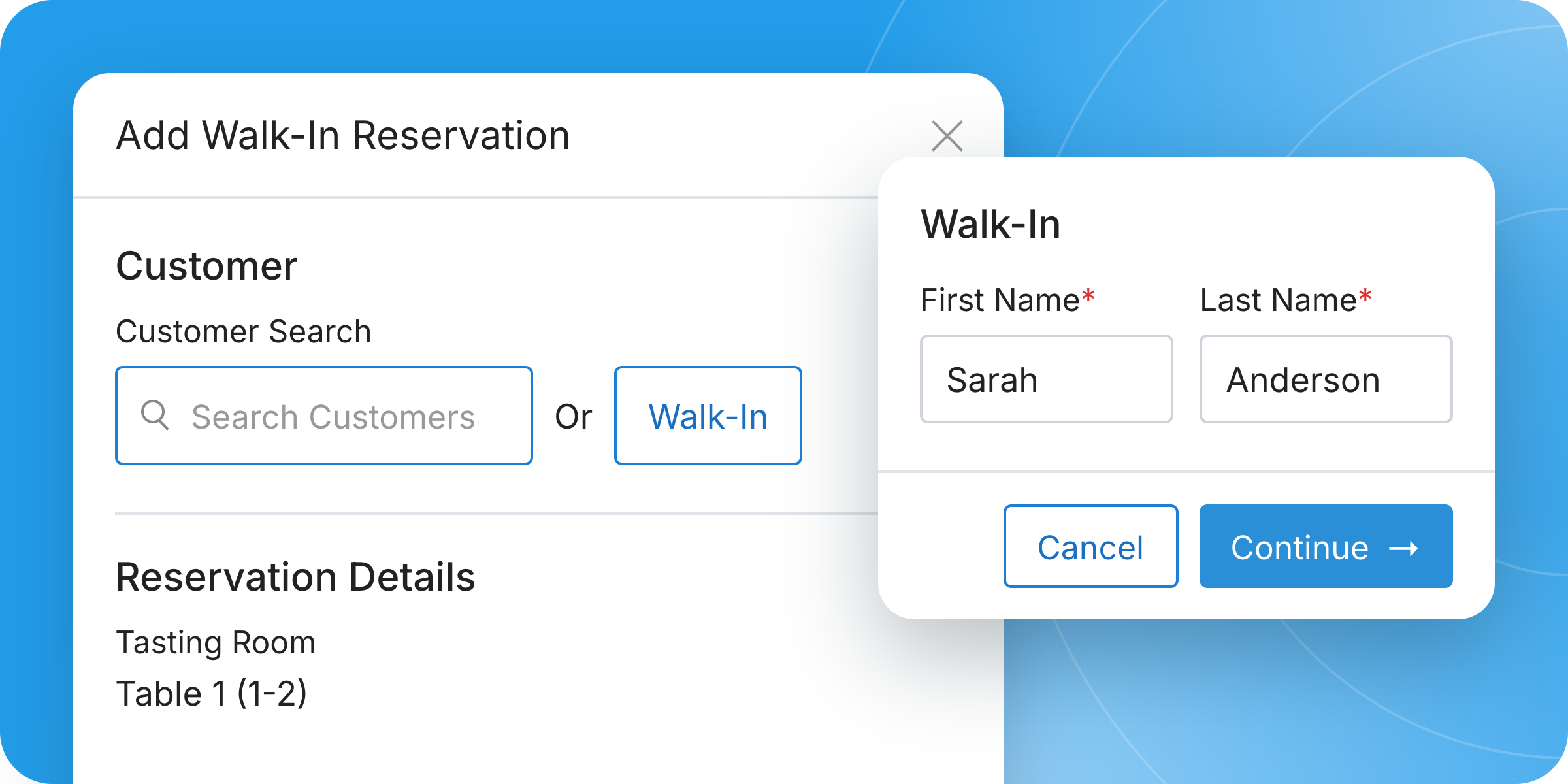
Seat walk-in guests in seconds, without creating a customer record first. Start reservations as a guest to keep service moving during busy tasting room days, without cluttering your customer database with placeholder emails or duplicate profiles.
What’s new:
- Start reservations as a guest, without searching for or creating a customer profile, just like you can on the POS.
- Seat walk-ins right away, with no email address or customer profile required.
- Skip placeholder emails like walkin@winery.com and avoid duplicate customer profiles.
- Keep customer records more accurate and reliable for reporting and marketing.
-
Floor Plan Builder
New Feature·
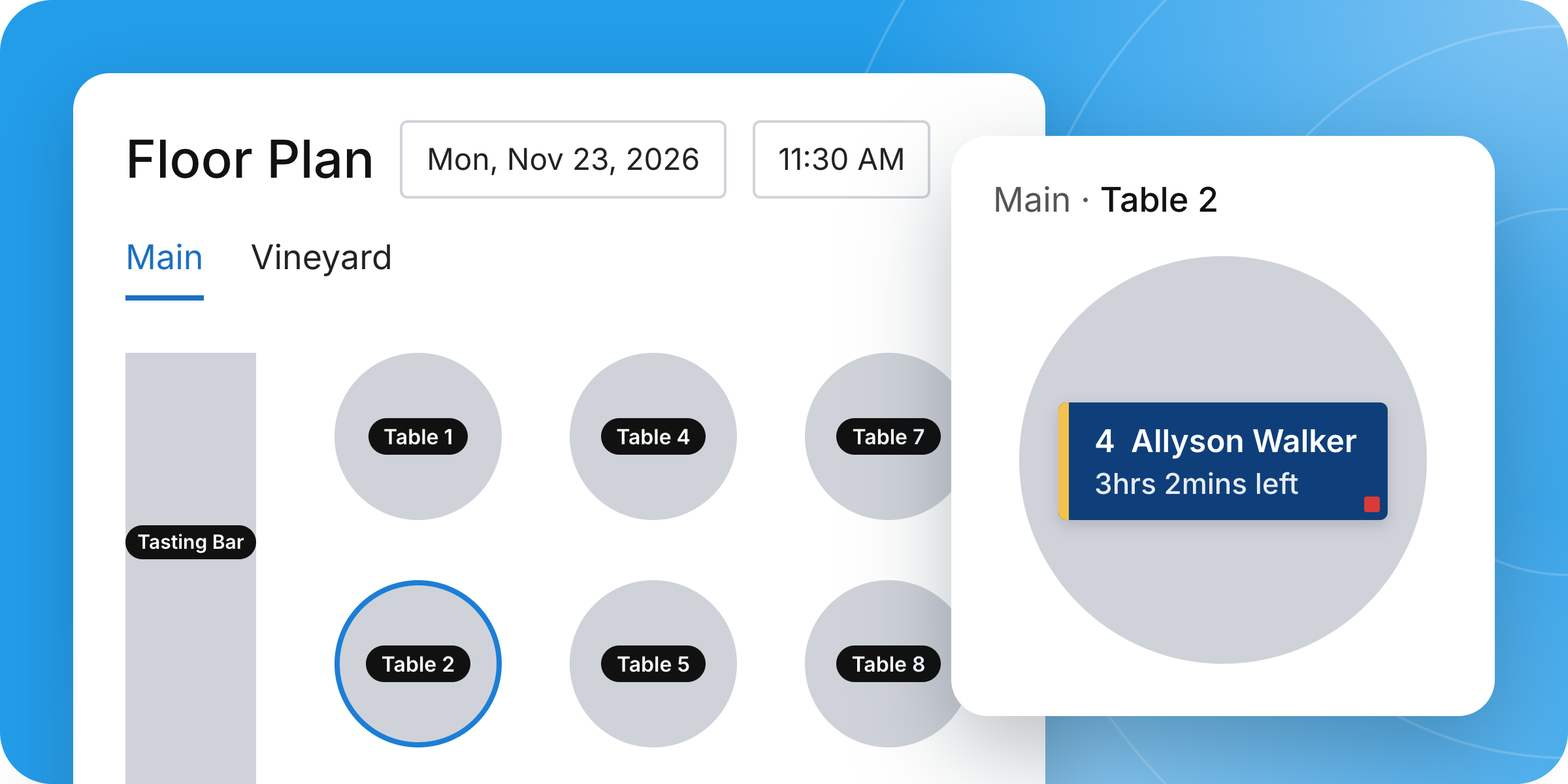
Build your tasting room floor plan by dragging tables into place, and manage seating from any screen. Now you can set up each space quickly and update it just as easily when things change, like opening the patio for the season.
What’s new:
- Set up locations, areas, and floor plans in one place, instead of creating a Location and then building a separate Property Map.
- Drag a shape onto the map for each table and enter how many guests it seats.
- Keep every space in a single setup, from the patio to the barrel room to a private tasting lounge.
- Manage seating from a tablet at the host stand instead of running back to a computer. The map adjusts automatically to smaller screens.
-
Multi-Tender Reservation Charges
New Feature·
Give guests more ways to pay for tastings and experiences, including gift cards and loyalty points, which they can now combine with another payment method online. In Admin, your team can split reservation charges across multiple tenders.
-
Reservation Modifications
New Feature·
Handle changes to paid reservations without leaving Reservations or starting over. Add or remove guests, adjust the booking, and charge the difference or issue a refund, with every payment and order number linked to the original reservation.
-
Pending Reservations
New Feature·
Recover bookings that guests started but didn’t finish. See every incomplete reservation, then email the guest so they can pick up where they left off, or create the reservation for them and send it over to complete and pay online.
-
Reservation Chits
New Feature·
Give your tasting room team everything they need for each visit at a glance. Print a chit for any reservation straight from your thermal printer, with guest insights, party size, time, experience, and notes all in one place.
-
Multi-Item Booking
New Feature·
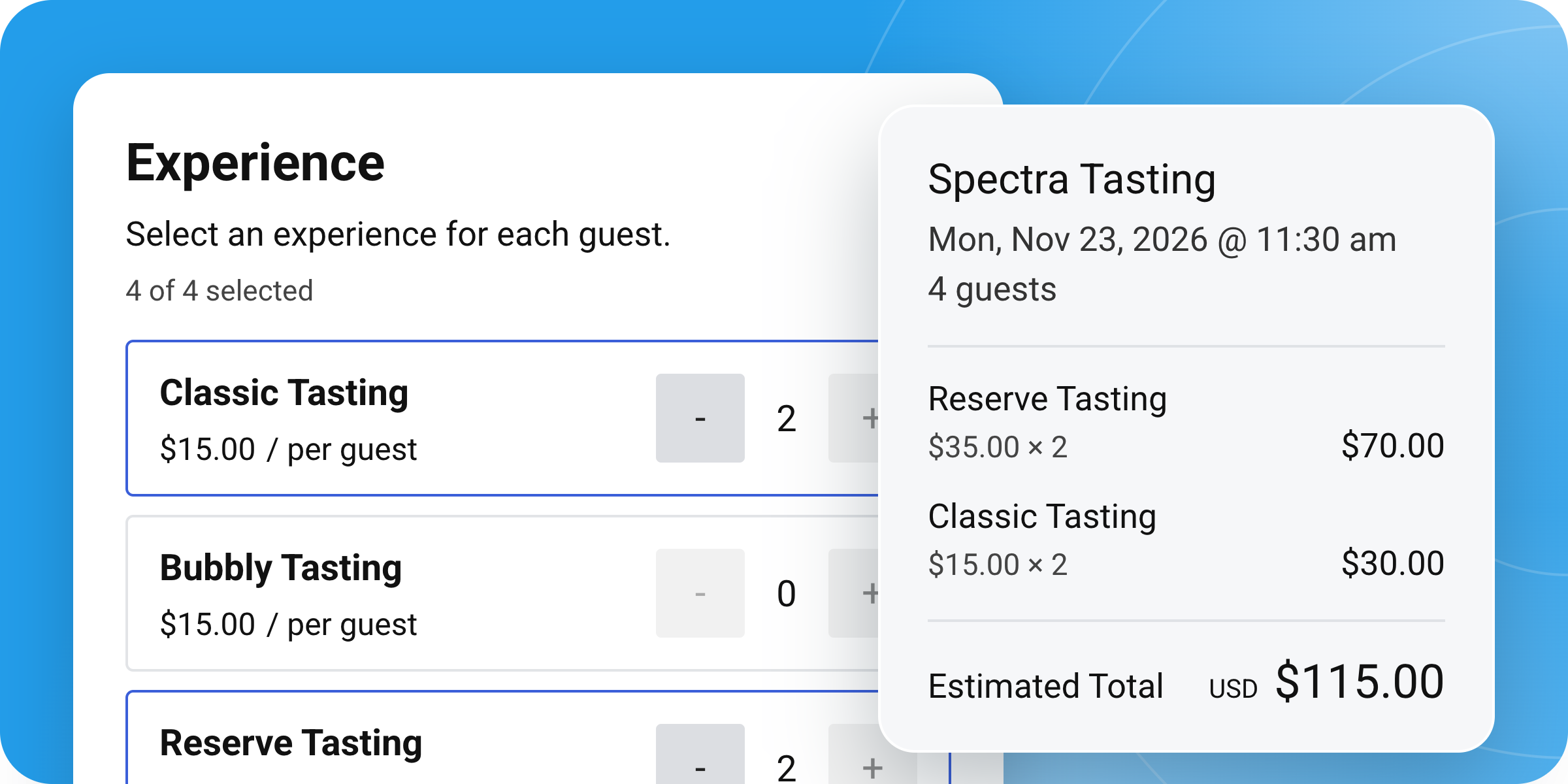
Give groups more flexibility when booking. Guests can now select different variants of the same experience in a single reservation, so everyone gets the visit they want. Each guest chooses their preferred option, and your team has just one reservation to manage.
What’s new:
- Add multiple variants of the same experience to a single reservation.
- Let each guest choose the option that suits them, whether it’s a reserve flight, classic flight, or non-alcoholic option.
- Complete checkout in one transaction instead of managing multiple separate bookings.
- Give your team one clear booking summary, without relying on notes like “see email.”
-
Guest Carts
Update·
You can now fully edit items and delivery information on a guest cart in Admin, even when no customer is attached. Your team can make the changes an order needs without attaching a customer first.
-
Order Detail Report
Update·
The Order Detail export now lets you choose whether bundle SKUs appear as-is or broken down into the individual SKUs inside each bundle. You get your order data in the format that fits the report you need.
-
Custom Fees
Update·
You can now create Custom Fees: line-item charges added to an order based on its country, state, or zip code, with all applicable taxes applied. Set them up under Settings > Taxes > Custom Taxes > Custom Fees to charge location-based fees and tax them in one step.
-
Changes to California Redemption Value and Alberta Admin Fee
Update·
CRV and the Alberta Admin Fee can now collect tax on the fee amount once you turn on the Collect tax setting in Settings > Taxes > Custom Taxes. Nothing changes until you do, and if you use ShipCompliant, create a product with the Key “CRV” before enabling it.
-
Product Export
Update·
The product export tool now downloads every variant on a product to CSV, with each variant on its own row.
-
Copy Time Slots Between Days
Update·
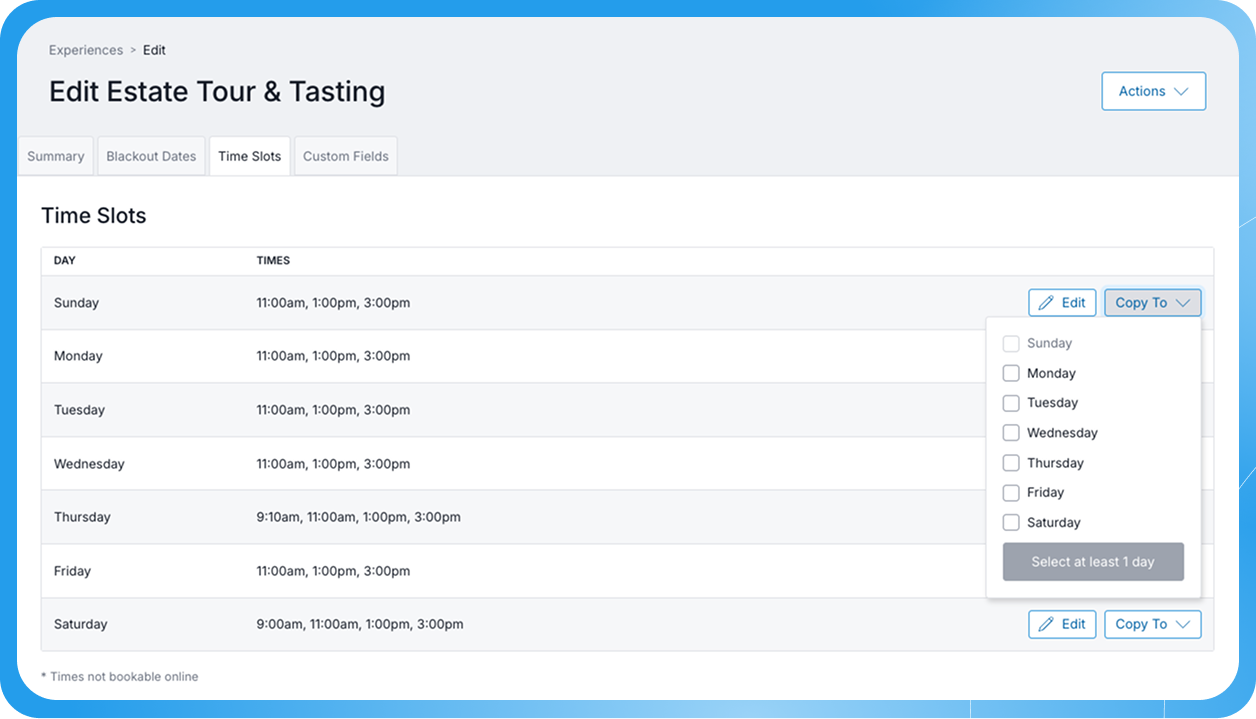
You can now set up availability faster by copying your experience time slots from one day to another, rather than entering them separately for each day.
-
One Form for Creating Reservations
Update·
Reservations started from the Availability page or the Reservation list now use the same form, and all of them appear in Reservations > Carts. Your staff have one layout to learn, no matter where they start a booking.
-
Reservation Payment Multi-Tender
Update·
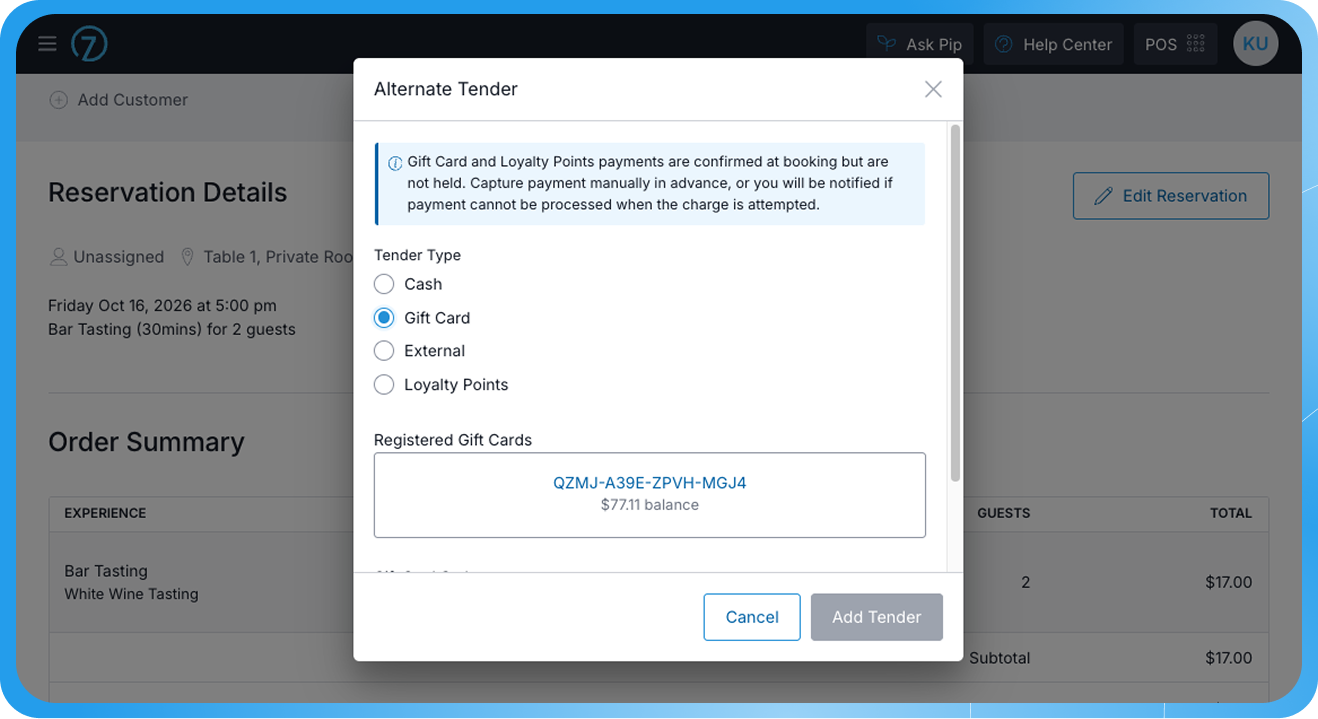
Guests can now pay for part of a reservation with a gift card, loyalty points, or both, and cover the balance with a card, whether your staff books it in admin or the guest books online. This gives your guests more flexible ways to pay for their visit.
-
Coupon & Promotions Management
Update·
You can now filter coupons and promotions to view the active, upcoming, or expired discounts.
-
Fullsteam Payments Credit Card Security
New Feature, Update·
We’ve introduced more secure credit card fields to add another layer of protection at Checkout. Turn on Secure Credit Card Fields in General settings before they’re enabled automatically on Nov 30, 2026, and use the new Card Field Styling setting to match them to your site.
-
California CRV
Update·
California CRV now has applicable taxes applied on top of the fee amount, so the amount you collect is accurate.
-
Reservation Chits
New Feature·
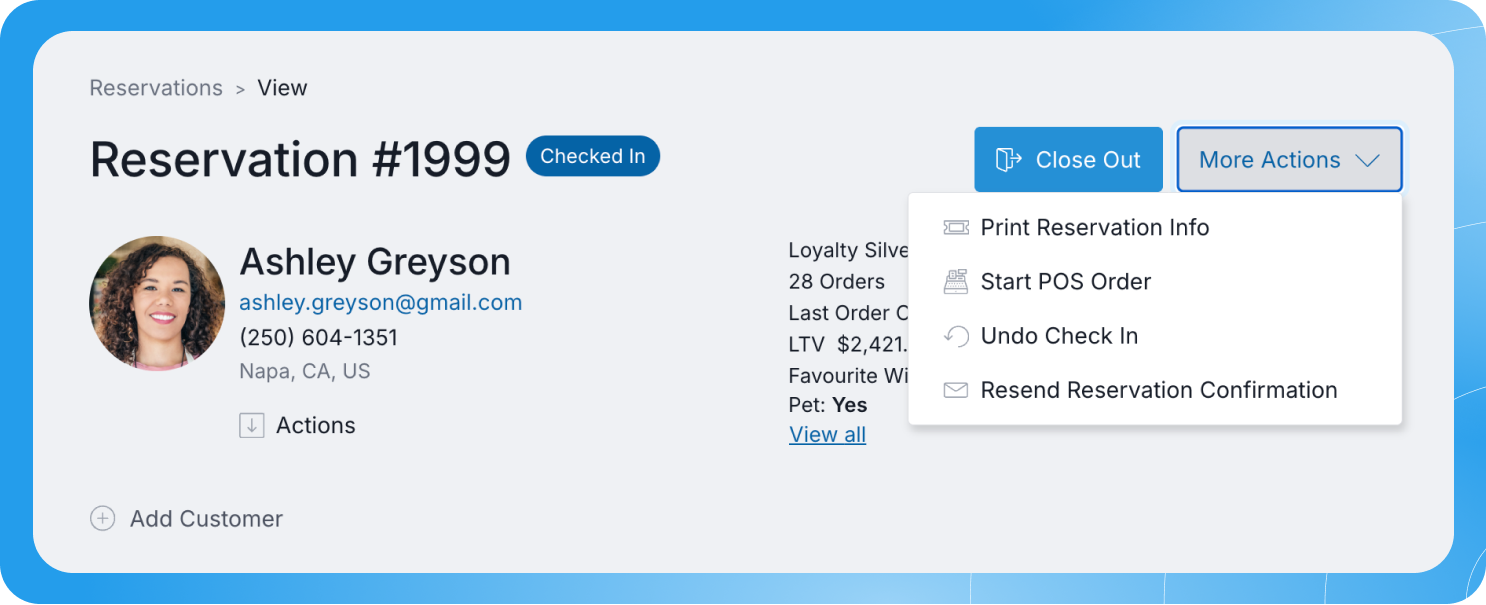
Print a chit for any reservation so your staff have the details they need in hand including a quick overview of reservation details, customer preferences, and special notes.
Click into a reservation from the list page or property map, then click More Actions > Print Reservation Info. -
Reservation Carts
New Feature·
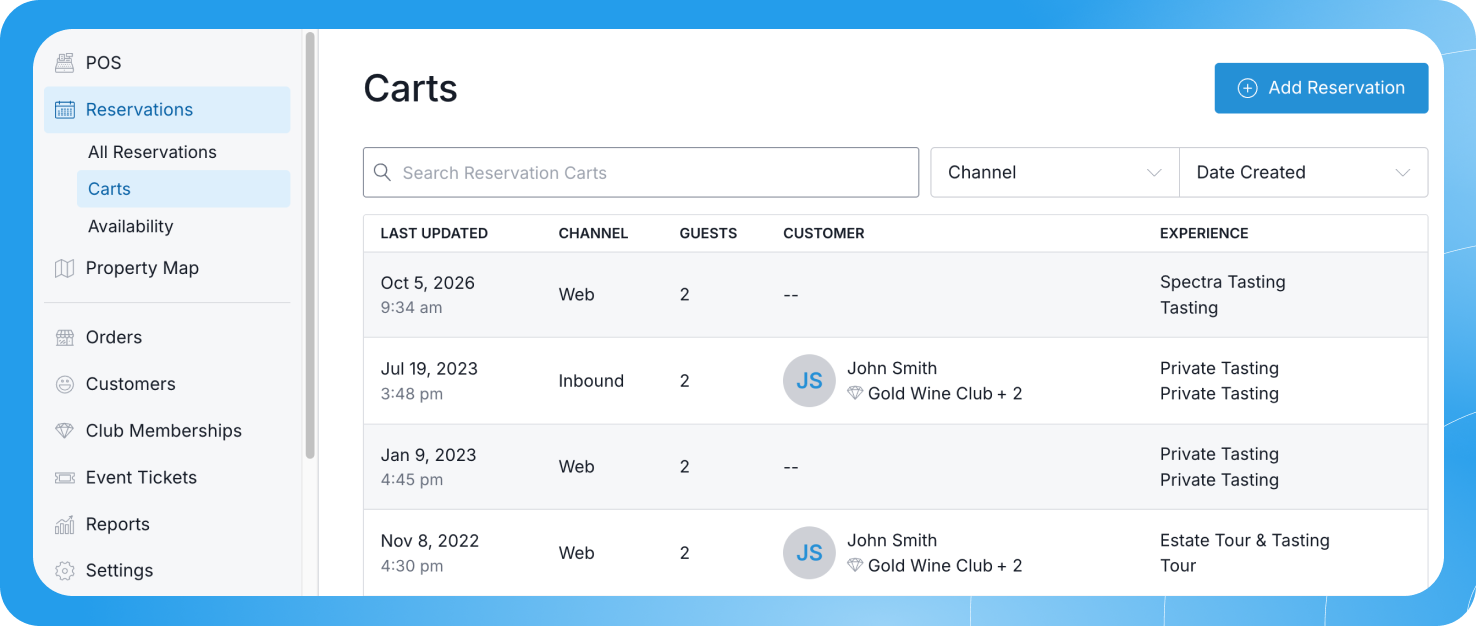
You can now view every reservation booking that was started but not completed in the POS under Reservation > Carts. From there, you can edit and complete reservations on behalf of your customers, or email them the booking so they can finish their payment details online.
-
Filter and Export Tasting Guest Counts
Update·
You can now filter your list of guest counts by Date and Count, and export it as a CSV file. Both make your counts easier to review.
-
Edit Tasting Guest Counts to Zero
Update·
You can now edit a Tasting Guest Count down to 0.
-
Search Sales Attributes in POS Profile Settings
Update·
You can now search for a Sales Attribute in your POS Profile settings. If you have more than 50 options, you can find the one you need faster.
-
Club Membership Length Reflects First Signup
Update·
The membership length shown on a club member’s online account dashboard now reflects the date they joined their first club, not their current active membership. Your members see their full history with your winery recognized.


