Product Updates
See what’s new from Commerce7, including product improvements and feature releases.
-
Tag Management
Update·
Click any tag to instantly pull up a filtered view of all Customers, Orders, Club Memberships, or Reservations where that tag has been applied, so finding what you need takes one click instead of several.
-
Campaign Scheduling
Update·
Once an email is scheduled, you can now cancel it and remove the scheduled date directly from the campaign, so you’re never locked in and have more control over your emails.
-
Club Shipment Export
Update·
Product SKUs and quantities are now included in the Club Shipment export, giving you a more complete picture of what’s going out in each shipment without having to cross-reference elsewhere.
-
Faster Reservation Entry on Tablet
Update·
Entering reservation details on a tablet just got smoother. Every input in Reservations now triggers the right keyboard automatically, whether that’s a date picker, a number pad, or a standard keyboard.
-
Virtual Gift Card Recipients
Update·
When adding a virtual gift card to an order in Admin, you can now enter or edit the recipient’s email address on the spot.
-
Basic User Permissions
Update·
Basic users can no longer cancel club memberships. Cancellations must be handled by users with POS + Reservation Standard access or higher, giving you tighter control over who can make high-impact changes to member accounts.
-
Gift Cards Online
Update·
Customers can pay faster online with gift cards registered to their account, which now automatically appear as a payment option during checkout.
-
Filter Orders by Sales Associate
Update·
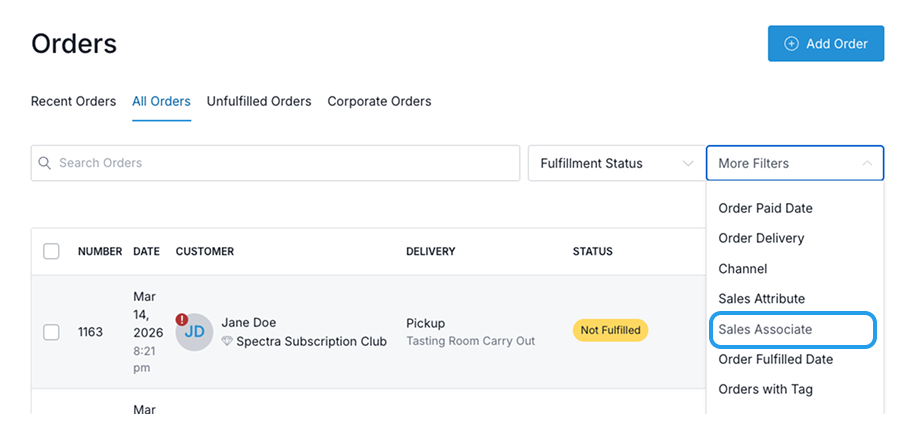
Quickly find orders for any sales associate directly from the Orders list page — no more manual reports or managing dynamic tags.
-
Gift Card Importer
Update·
Gift cards can now be created in bulk through a CSV file. Under Store > Gift Cards, click “Actions” then “Import Gift Cards”.
-
WinePulse
New Feature·
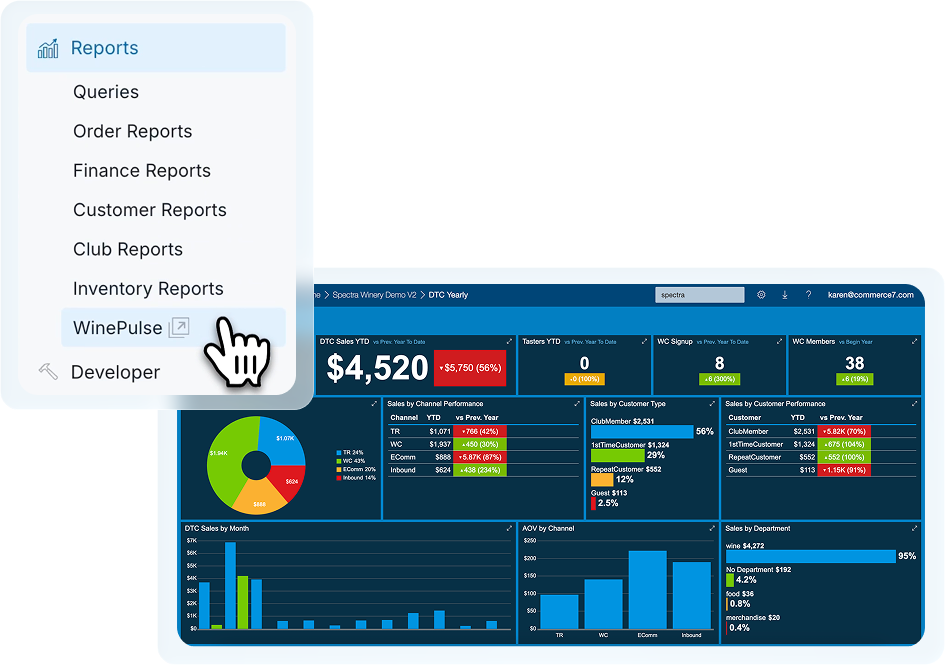
Our new WinePulse-powered reporting is now available directly inside Commerce7 for all clients, launching you into your fully synced reporting environment with a single click. Access 90+ reports and 9 mobile-friendly dashboards for deeper visibility into your DTC performance. Learn more.
-
POS Tip Prompt with Gift Cards
Update·
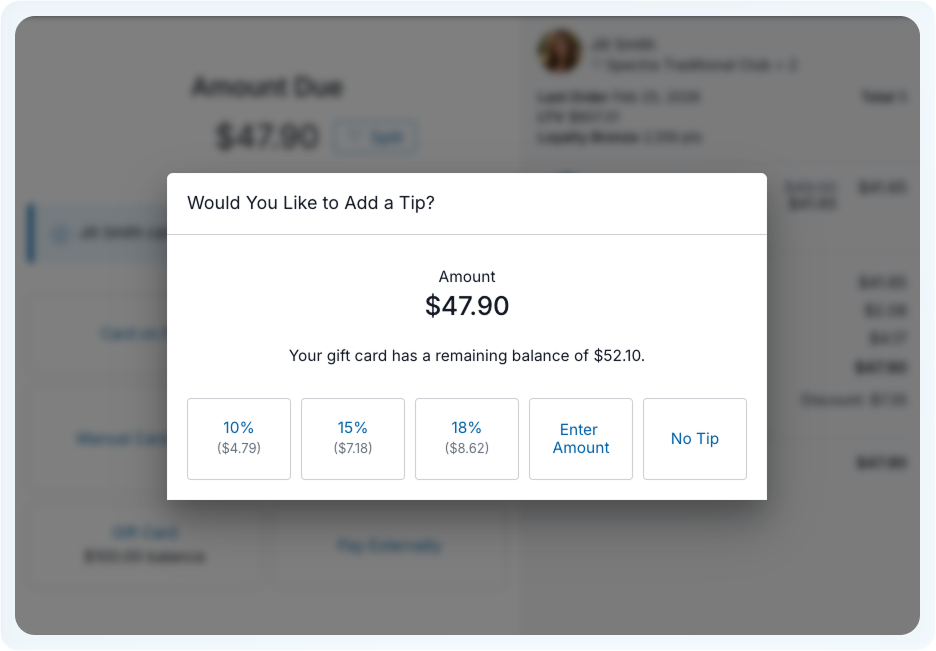
When an order is fully paid by gift card and a balance remains, the POS tip prompt will now display (if enabled), helping wineries capture tips more consistently in the tasting room.
-
Kitchen Tickets
Update·
Date has been added to thermal kitchen tickets and the font size has been reduced to allow for easier scanning when lots of items have been sent to the kitchen.
-
Customer Tags
Update·
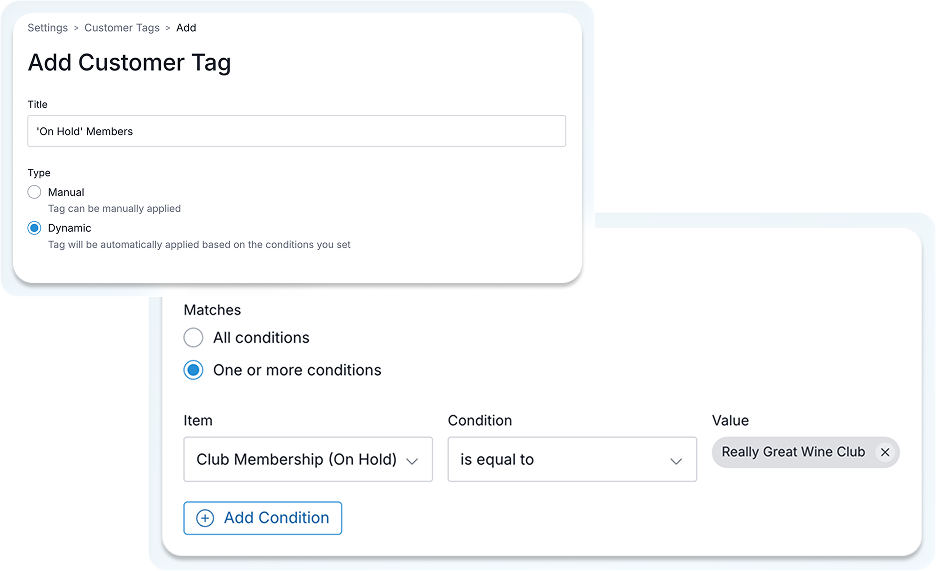
You can now create dynamic tags for memberships with a status of On Hold, making it easier to accurately segment inactive members separately from active club members.
-
Club Membership Tags
Update·
To help manage inactive members, you can now create a dynamic club membership tag, that applies to members who have a Status of On Hold.
-
Gift cards in Club Shipment
Update·
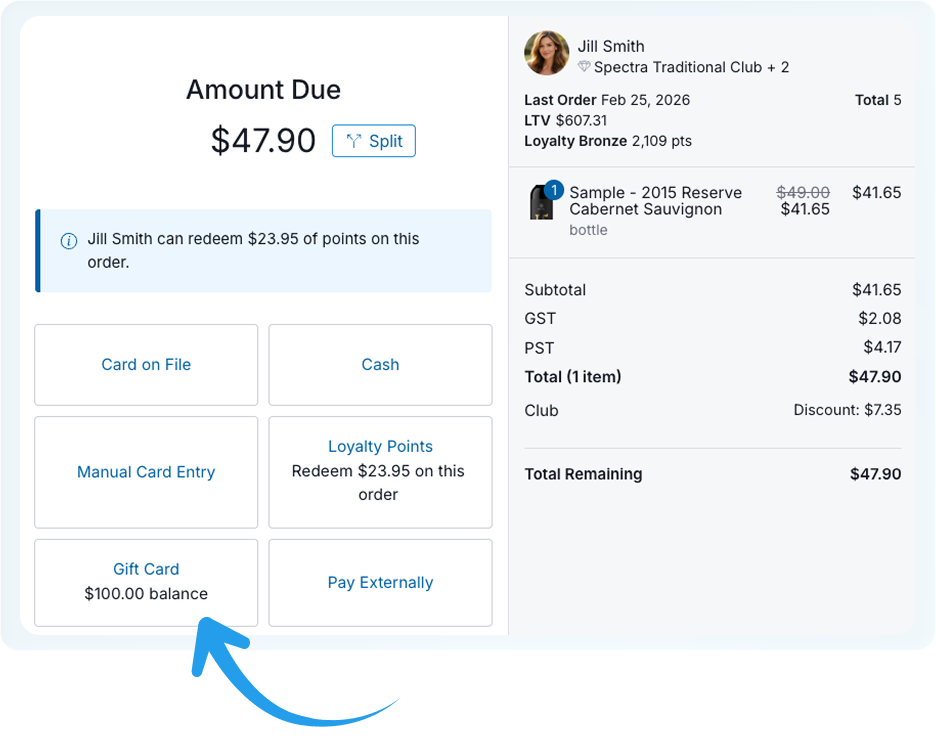
Gift cards purchased through club shipments are now automatically registered to the member’s account, appearing on their profile and readily available to use during checkout, creating a smoother experience for customers and better visibility for your team.
-
Shipping Importer
Update·
You can now import shipping rates through a CSV file. Go to Shipping page and click “Import” to download a sample template and get started.
-
Single POS & Reservation App
New Feature·
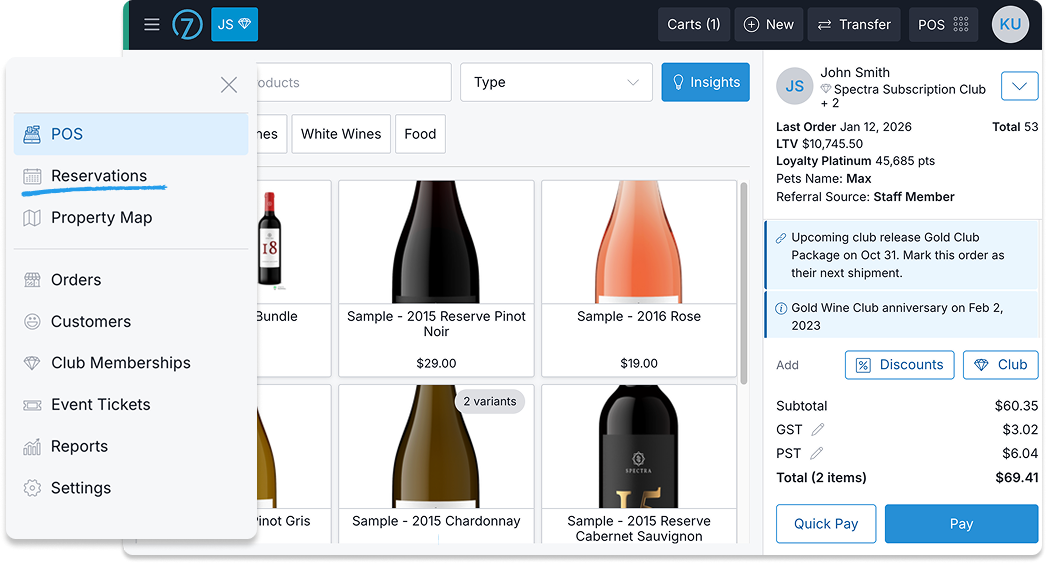
We’ve combined the POS and Reservations apps into a single POS experience to create more streamlined, day-to-day workflows. What this means for you:
User permissions remain unchanged. Anyone with Basic or Standard access will continue to have the same level of access in the combined POS.
If you weren’t previously using Reservations, you can continue using POS exactly as you do today.
The standalone Reservation Dashboard has been removed.
Notices, staff notes, and schedule notes are now available directly on the Reservations list page.
-
Loyalty Points
Update·
For the Commerce7 Loyalty Points extension, when editing or adding a product, you can choose if you would like customers to be able to pay for the product/purchase points.
-
Custom Order Fields
Update·
If you have custom order fields created, you can now fill them out when creating or editing a cart in Admin
-
Wine Appellations
Update·
Additional appellations have been added for wine products including:
- For California, US: Amador County, Lake County, San Luis Obispo, Santa Barbara County
- For British Columbia, CAN: East Kelowna Slopes, Lake Country, Golden Mile Slopes, South Kelowna Slopes, Summerland Valleys, Summerland Lakefront, Summerland Bench
- For Australia: North East Victoria, Limestone Coast
- For France: Bourgogne Côte de Nuits
-
Admin Notification
Update·
A new admin notification email has been added for Club Shipment Skip. The email will notify you when a customer skips their shipment online. The email can be enabled under Settings > Admin Notifications.
-
Transaction Email
Update·
A new transaction email has been added for “Club Skip Confirmation”. When a customer skips their shipment online, this email is sent to them as a confirmation and lets them know how long they have before the process date to change their mind. The email is enabled by default, but can be turned off under Settings > Emails > Transaction Emails.
-
Tag Orders by Pickup Location
New Feature·
When creating a dynamic order tag, you can now select a condition of Pickup Location to automatically tag orders with a specific pickup location.
-
Print Receipt PDF
Update·
If you’re located in Australia, New Zealand, Canada, and South Africa, PDF receipts will now display your business number. For wineries in Australia it will display as the ABN number at the top of the receipt, for other countries it will display at the bottom.


