Product Updates
See what’s new from Commerce7, including product improvements and feature releases.
-
Reservation Chits
New Feature·
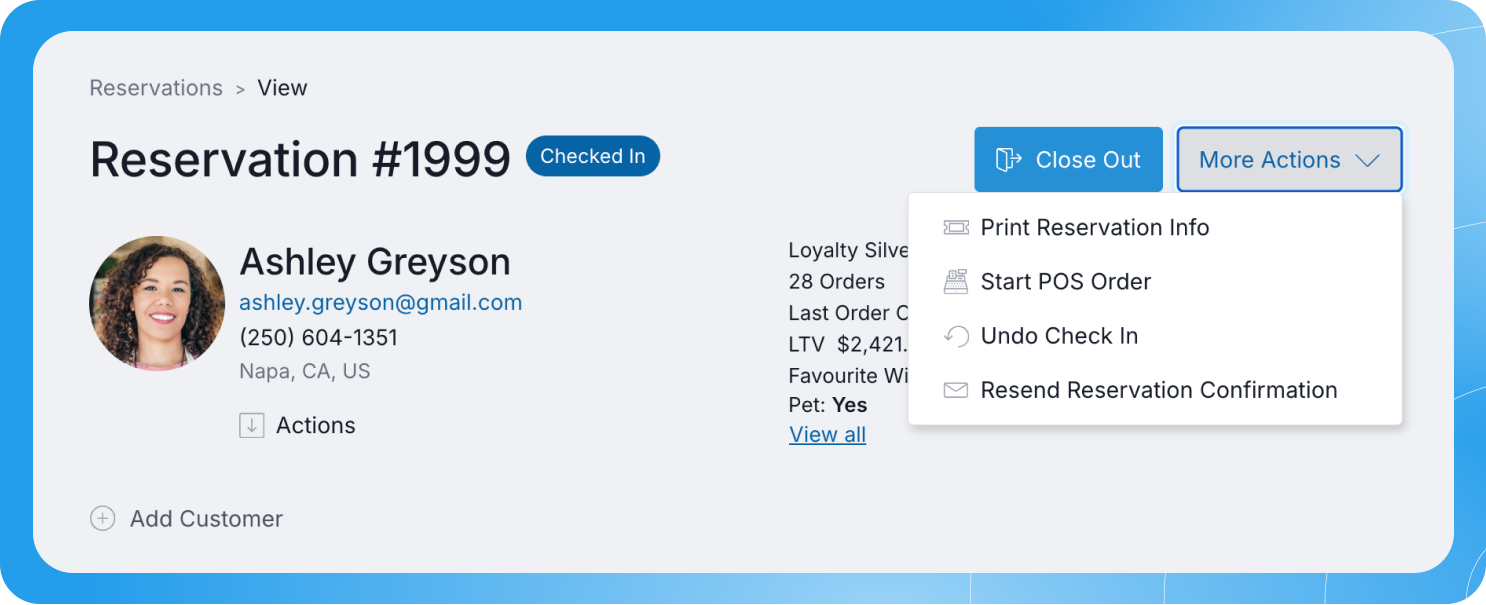
Print a chit for any reservation so your staff have the details they need in hand before guests arrive. Your team gets a quick overview of each visit on a single printout, without pulling up the reservation on a screen.
Click into a reservation from the list page or property map, then click More Actions > Print Reservation Info. -
Reservation Carts
New Feature·
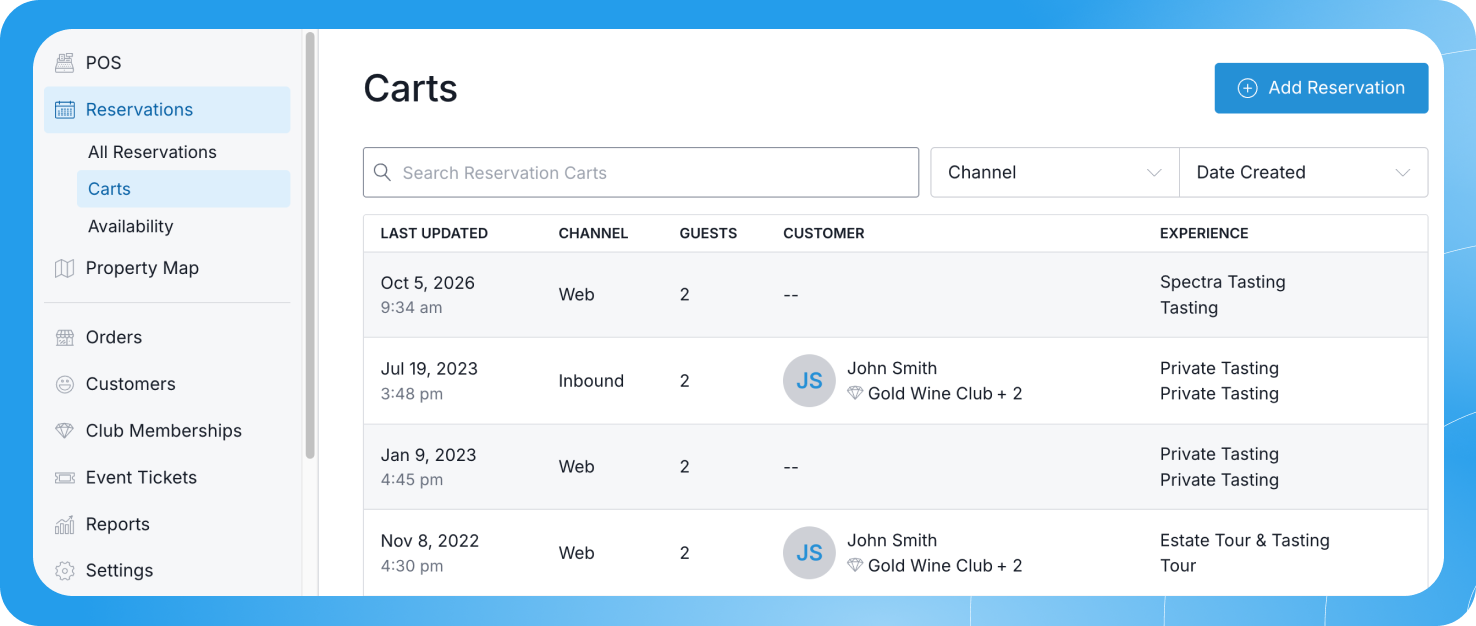
You can now view every reservation booking that was started but not completed in the POS under Reservation > Carts. From there, you can edit and complete reservations on behalf of your customers, or email them the booking so they can finish their payment details online.
-
Filter and Export Tasting Guest Counts
Update·
You can now filter your list of guest counts by Date and Count, and export it as a CSV file. Both make your counts easier to review.
-
Edit Tasting Guest Counts to Zero
Update·
You can now edit a Tasting Guest Count down to 0.
-
Search Sales Attributes in POS Profile Settings
Update·
You can now search for a Sales Attribute in your POS Profile settings. If you have more than 50 options, you can find the one you need faster.
-
Club Membership Length Reflects First Signup
Update·
The membership length shown on a club member’s online account dashboard now reflects the date they joined their first club, not their current active membership. Your members see their full history with your winery recognized.
-
Add to Calendar Buttons in Event Ticket Emails
Update·
Event ticket confirmation emails now include “Add to calendar” buttons. Your customers can save the event details to their calendar right from the email.
-
Staff-Entered Names on Carts
Update·
Carts without a customer attached now show the name your staff entered at the POS instead of appearing unnamed in your Carts list. This makes it easier to track open orders in a busy tasting room.
-
SMS Subscribe Checkbox on Forms
Update·
Your forms can now display an SMS subscribe checkbox, so customers can opt in to text messages when they fill one out. The checkbox appears online once SMS Marketing is enabled under Settings > General.
-
Limit Usage for Discounts
New Feature·
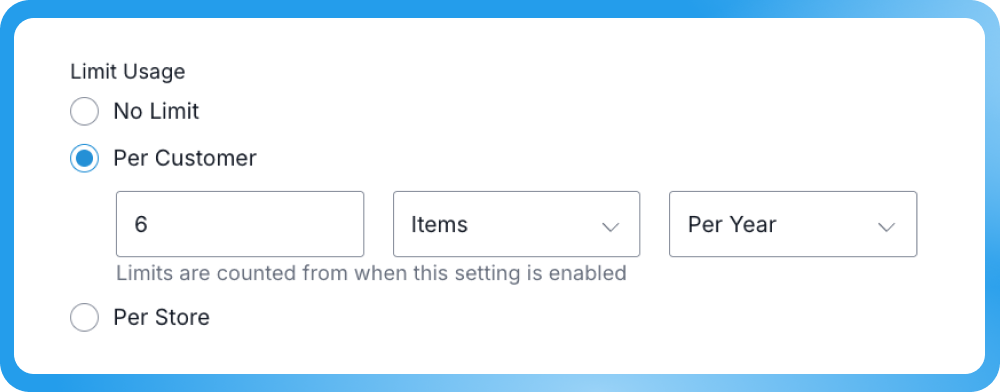
Control how many items a discount can apply to per order or item, and set that limit to reset monthly, yearly, or hold as a lifetime total.
This gives you more control over how discounts get used, especially for cases like complimentary member tastings where a discount should only be redeemable a set number of times.
What’s new:
- Set a maximum number of items a discount can be applied to per order
- Choose whether that limit resets monthly, yearly, or applies once as a lifetime total
- Build tasting comp programs by pairing a discount with a usage cap and a set timeframe
Limit Usage settings are available now within your Promotions configuration. Read our documentation to learn more.
-
Reservation Widget Date Formatting
Update·
The reservation widget’s date picker now shows dates in day-month-year order (e.g., 1 Sep 2026) for countries where that’s the standard format, so guests see dates in the format they expect.
-
Mexico Added as a Wine Region
Update·
Mexico is now available as a country property for wine products, along with its corresponding regions and appellations.
-
Multi-Package Fulfillment Visibility
Update·
When an order ships in multiple packages, you can now see which SKUs were included in each one from the order’s fulfillment view.
-
Subscription Shipments
Update·
The Subscription Shipments list now shows delivery information, including pickup location or shipping address, for each shipment. Check delivery details at a glance instead of opening each shipment individually.
-
Allocation Products
Update·
You can now drag and drop to reorder how allocation products display in the customer’s account online. Set the order that makes sense for your releases without extra setup.
-
POS Profile Assignment
Update·
The top left of your POS now shows a preview of the assigned POS Profile. Click it to switch profiles instantly, no need to open the left menu.
-
Ask Pip Documentation Search
Update·
You can now search, query, and explore C7 documentation directly using Ask Pip. Enjoy Instant Answers to your questions, Step-by-Step Guidance and Instructions on navigating C7. Click the Ask Pip button to get started.
-
POS Credit Cards Saved to File
Update·
Cards used with an EMV device are no longer saved to a customer’s file automatically. You’ll be prompted to save a card only when the customer has none on file or their saved card has expired. (Available for Fullsteam Payments only.)
-
Club Shipment Reminder Emails
Update·
Set separate shipment reminder dates and email content for pickup and shipping members on each Club Release. Edit the new templates under Settings > Emails > Transaction Emails by searching “Club Member Shipment.”
-
Email Cart & Club Signup Links
New Feature·
Send customers a direct link to finish their cart or club signup online. From any Cart or Club Signup in Admin or POS, click “Email Cart Link” or “Email Club Signup Link” to get it into their inbox.
-
Export and Tag Results from Pip
Update·
You can now download your Pip results as a CSV or apply a tag to them directly. Use that tag to filter or take action on those records anywhere else in Commerce7.
-
Peers Reporting
New Feature·
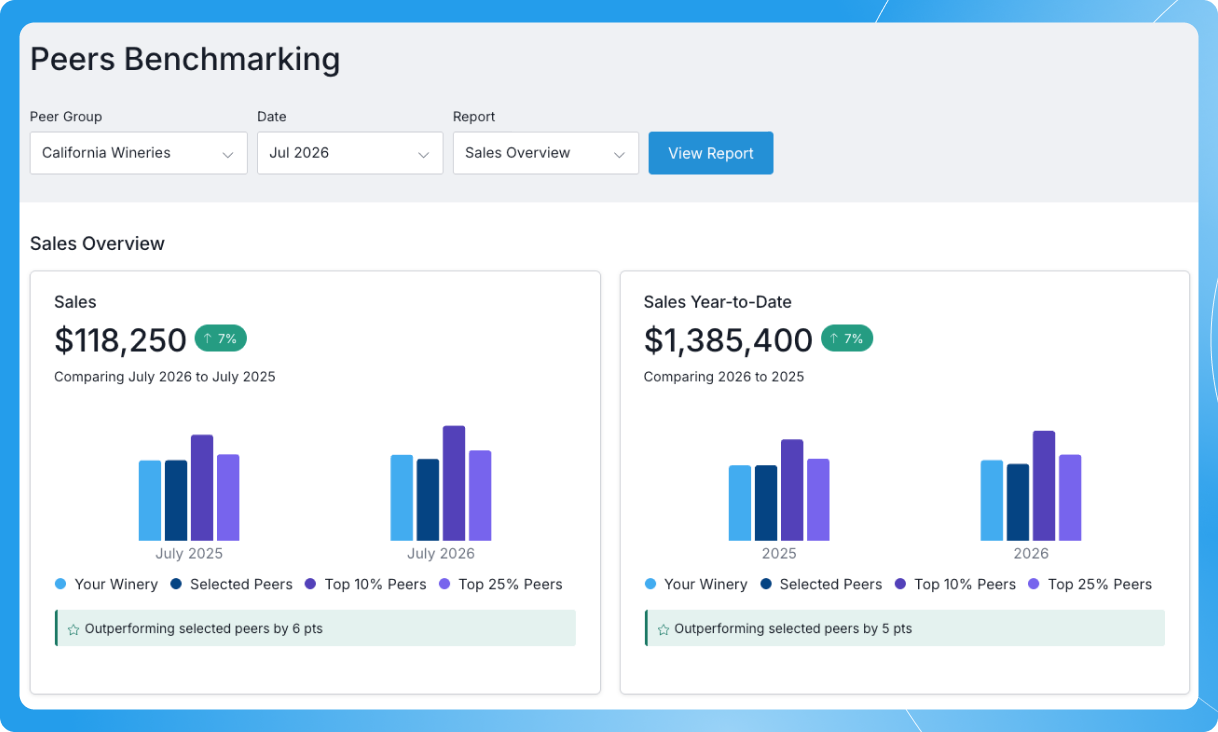
Know how your winery’s performance measures up with benchmarking built directly into Commerce7. Peers Reporting uses data from more than 3,000 wineries on Commerce7 to give you a clear view of how your sales, tasting room, and club performance compares with the market. No exports, spreadsheets, or separate reporting tools required.
What’s New- Benchmark key performance metrics across Sales, Tasting Room, and Club reports against a peer group matched to your winery’s size and region.
- See how you compare to top performers with benchmarks for the top 10% and top 25% of your peer group.
- Understand the gap at a glance with clear point differentials that show exactly how far ahead or behind you are.
- Access benchmarking where you already work—directly within Commerce7.
Available now to all Commerce7 wineries. Read our documentation to learn more.
-
4 New Automated Emails Now Live
Update·
Club Anniversary, Reservation Completed, Reservation Reminder, and Order Pickup Reminder are now available as automated emails. You can turn these on to keep guests informed without manual follow-up.
-
Cancel Transactions Sent to Stripe EMV Devices
Update·
Once a transaction is sent to a Stripe EMV device from the POS, you can now cancel it from either the device or the POS.


